A digital vehicle inspection (DVI) is a photo- and video-backed, multi-point inspection sent straight to your phone so you can see exactly what your technician sees. Instead of taking a stranger’s word for it over the phone, you get a report with condition ratings and approve or decline each repair yourself, from wherever you are.
TL;DR:
- Digital vehicle inspections rely on photos and videos, making the inspection process more transparent and speeding up customer approvals.
- Most shops use standardized templates for safety-critical components like brakes, tires, and fluids, with photos reinforcing the condition ratings.
- The inspection process typically adds 5 to 10 minutes to the service, with reports delivered via simple links that require no app downloads.
- Customers should prioritize red-rated safety items and verify photo accuracy before approving repairs, asking questions if anything is unclear.
- Shops that consistently train technicians and advisors on DVI best practices see higher approval rates and more efficient workflows.
Table of Contents
- What Is a Digital Vehicle Inspection, and How Is It Different From a Paper MPI?
- How Does the Digital Vehicle Inspection Process Actually Work?
- What Does a Multi-Point Digital Inspection Actually Check?
- How Does a Digital Inspection Build Trust and Speed Up Repairs?
- What Do Shops Gain From Digital Vehicle Inspections?
- How Do You Read a DVI Report Before Approving Repairs?
- What Should You Expect When a Shop Adds Digital Inspections?
- Is My Data Safe? Privacy and Security in Digital Vehicle Inspections
- What Software Do Shops Use to Run Digital Vehicle Inspections?
- What Are the Common Challenges With Digital Vehicle Inspections?
- What Best Practices Keep DVI Reports Accurate and Consistent?
- Kwik Kar’s Perspective: How Our Technicians Use DVI for Real Transparency
- Book a DVI-Backed Service at Kwik Kar Spring Valley
- Sources
- FAQ
What Is a Digital Vehicle Inspection, and How Is It Different From a Paper MPI?
A digital vehicle inspection is a tablet or phone based multi-point check where a technician documents your vehicle’s condition with photos, short videos, and a structured checklist instead of a paper form with handwritten notes. That shift from paper to pixels is what actually changes the customer experience. A DVI replaces the old clipboard sheet with photo- and video-backed checklists you can review yourself, rather than trusting a summary read to you at the counter.
Don’t confuse a shop DVI with a commercial Driver Vehicle Inspection Report, or DVIR. A DVIR is a regulatory fleet document required for commercial trucking compliance, while a DVI is a voluntary, customer-facing service report built to explain repair needs, not satisfy federal paperwork rules.
Delivery is simple by design:
- The report arrives as a link by text message or email.
- It opens directly in your phone’s browser.
- Most systems require no app download or account setup, so you can view and approve items in seconds.
How Does the Digital Vehicle Inspection Process Actually Work?
A DVI follows a consistent sequence from the moment your car pulls into the bay to the moment you tap “approve” on your phone.
- The advisor opens your repair order and selects an inspection template matched to your service, whether that is a quick oil change check or a full diagnostic workup.
- The technician works through the checklist, snapping photos and short videos of brakes, tires, fluids, and other components, then assigns a condition rating to each item.
- A service advisor reviews the findings, adds pricing and plain-language notes, and sends the finished report to your phone.
- You open the link, review each photo, and approve or decline items individually rather than accepting or rejecting an entire estimate as one lump sum.
- Approved items flow straight into the repair order, which triggers parts ordering and moves your car forward in the shop’s workflow without another phone call.
Integrating the inspection with shop management software keeps everything tied to one repair order, which cuts down on double-handling and speeds up parts ordering once you approve a line item.
Pro Tip: Ask your advisor to send the DVI link before they call you. Reviewing the photos first, on your own time, tends to lead to calmer, clearer questions than fielding a cold call about repairs you can’t see.
What Does a Multi-Point Digital Inspection Actually Check?
A typical multi-point inspection covers the systems most likely to affect safety, reliability, and fuel economy. The exact checklist varies by shop and by the type of visit, but most templates cover the same core categories.
- Brakes: pad thickness, rotor condition, and fluid level, often shown with a close-up photo of remaining pad material.
- Tires: tread depth, uneven wear patterns, and sidewall damage.
- Fluids: oil condition, coolant level, and any visible leaks around gaskets or hoses.
- Battery and charging: terminal corrosion, voltage, and case condition.
- Belts and hoses: cracking, fraying, or glazing.
- Lighting: headlights, taillights, and turn signals.
- Suspension and A/C: worn bushings, leaking struts, and cooling performance.
A quick-lube visit usually triggers a shorter checklist focused on fluids, filters, tires, and belts, while a full-service repair visit runs a longer template covering suspension, electrical, and drivetrain components. Photos of things like a corroded battery terminal or an oil weep at the valve cover give you a reference point the next time you’re comparing quotes or tracking a recurring issue on your vehicle inspection checklist.
How Does a Digital Inspection Build Trust and Speed Up Repairs?
Seeing a worn brake pad in a photo lands differently than hearing “your brakes are getting low” over the phone. That visual evidence is the main reason DVI changes how customers respond to repair recommendations.
- Reduced skepticism: photos and videos give you something concrete to evaluate, instead of taking an estimate on faith.
- Faster remote approvals: you can review and approve work from your desk, your kid’s soccer practice, or a waiting room, which gets your car back on the lift sooner.
- A permanent record: every inspection report stays attached to your vehicle’s history, which can support resale value and settle disputes if a part fails earlier than expected.
Shops that adopt DVIs consistently report higher approval rates and increased average repair order value because customers approve more of the recommended work once they can see it themselves. The psychological shift matters here: DVI reframes the conversation from “trust me” to “see for yourself,” and that shift is a big part of why approval rates climb.
What Do Shops Gain From Digital Vehicle Inspections?
The benefits run both directions. A shop that documents everything with photos and integrates that documentation into its repair order workflow moves faster and argues less.
- Higher approval rates and ARO: customers approve more line items when they can see the problem, which raises the average repair order.
- Less bay idle time: approvals that used to wait on a callback now happen while the advisor is on to the next customer.
- Better communication: attaching photos and videos to each inspection item and tying that documentation to the repair order keeps technicians, advisors, and customers looking at the same information.
None of that happens automatically, though. Results depend on advisor skill at explaining findings, how many customers actually open the text link, and whether every technician on the floor uses the tool consistently instead of only on the cars that seem to need it.
How Do You Read a DVI Report Before Approving Repairs?
A DVI report is only useful if you know how to work through it. Follow this order when the link lands on your phone.
- Start with red items. These are typically safety concerns, like worn-through brake pads or a cracked serpentine belt, and deserve attention before anything else.
- Review yellow items next. These usually mean “not urgent yet” but worth planning for, such as tires nearing the wear bar or a battery testing weak.
- Confirm green items and move on. No action needed, but it’s good to know what’s already in solid shape.
- Check that each photo matches its listed component. A close-up should be paired with a wider shot so you can confirm the technician photographed the correct part on the correct vehicle.
- Ask questions before you approve, not after. If a note says a part is “worn,” ask what specific measurement or manufacturer threshold triggered that call.
Pro Tip: If a report shows a yellow-rated item with no photo, or a photo that seems zoomed too far in to identify the part, call your advisor before tapping approve. A quick clarifying question costs nothing and confirms you’re paying for the right repair, on the right diagnosis.
What Should You Expect When a Shop Adds Digital Inspections?
Adopting DVI changes a shop’s intake process, though not as dramatically as some owners expect. Once staff are trained and the templates are dialed in, a digital inspection typically adds about 5 to 10 minutes to your visit, with slightly longer times during a shop’s first few weeks of rollout.
- Cost varies by shop. Some include the DVI as a standard part of every visit at no extra charge; others build the fee into specific service packages depending on scope.
- Templates get standardized so a brake job triggers the same checklist every time, regardless of which technician is in the bay.
- Inspections tie into the repair order system, so approved items flow directly into scheduling and parts ordering instead of sitting in a separate app.
- Expect a short learning curve on both sides. Advisors need practice explaining photos clearly, and customers get faster at reviewing reports on their phones after the first one or two visits.
Is My Data Safe? Privacy and Security in Digital Vehicle Inspections
A DVI report contains real information about your vehicle. Depending on the platform, that can include your license plate, VIN, mileage, contact details, and a set of photos taken inside and around your car. That’s worth understanding before you tap “approve.”
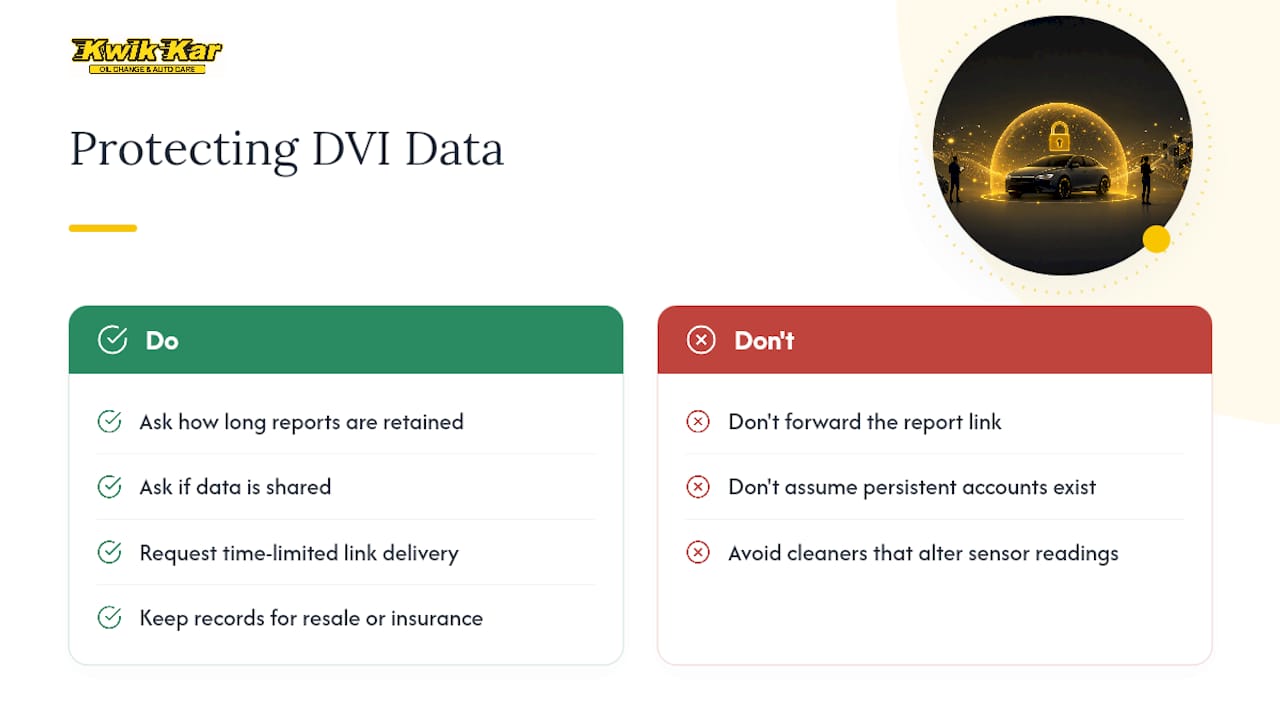
Reputable DVI platforms send reports through a unique, time-limited link rather than posting anything publicly, and most require no login or app installation to view your own report. That link-based approach limits exposure since there’s no persistent account for someone to break into, though it also means you should avoid forwarding the link to anyone you don’t want seeing your vehicle’s condition and contact information.
Ask your shop two practical questions before your first digital inspection: how long they retain your report and photos, and whether that data is shared with any third party for marketing or resale. A shop that documents your vehicle’s history responsibly should be able to answer both without hesitation. Documented inspection records, kept properly, can actually work in your favor later, supporting resale value or helping settle a coverage question with your insurer if a dispute comes up.
If you’re detailing your own car between visits, be mindful that some cleaning products used near sensors and trim can affect readings a technician later photographs. A careful approach to removing water spots and surface buildup helps keep your car’s paint and trim looking accurate in inspection photos, rather than masking or exaggerating wear.
What Software Do Shops Use to Run Digital Vehicle Inspections?
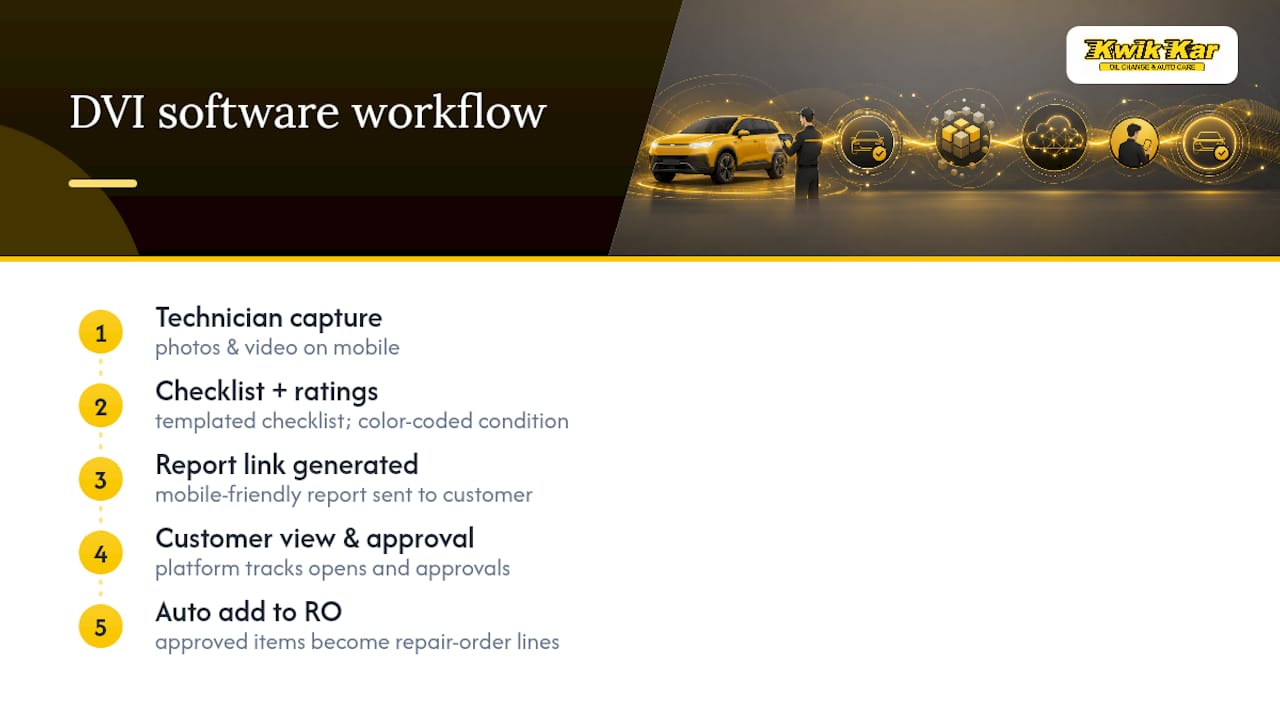
Shops rely on dedicated inspection software rather than building this process by hand, and the category has matured enough that most platforms share a common feature set: photo and video capture, color-coded condition ratings, templated checklists, and a mobile-friendly report link.
Platforms in this space typically integrate with a shop’s existing management software so an approved inspection item automatically becomes a line item on the repair order, cutting out manual re-entry. That integration is what separates a genuinely useful DVI tool from a shop just texting customers photos one at a time. The best implementations also track which reports customers opened and which items they approved, giving advisors a clear follow-up list instead of guessing who still needs a callback.
What matters most for you as a customer isn’t the specific software name on the report, it’s whether the shop uses it consistently across every technician and every vehicle type. A platform is only as good as the habits built around it. A shop that treats the inspection as a genuine communication tool, and trains advisors to walk through photos rather than just forward a link, gets far more value out of any platform than one that treats DVI as a box to check.
What Are the Common Challenges With Digital Vehicle Inspections?
DVI isn’t flawless, and a few recurring friction points show up across the industry.
Inconsistent technician habits are the most common issue. When some technicians photograph every item thoroughly and others rush through the checklist, customers on the same day can get very different quality reports. Shops overcome this with ongoing training and by making photo quality part of routine performance checks, not a one-time onboarding lesson.
Customer confusion about ratings also comes up, especially when a yellow rating gets treated like an emergency or a red item gets dismissed as “probably fine.” Clear, consistent labeling and an advisor willing to explain the difference between “needs attention soon” and “needs attention now” solves most of this.
Low open rates on text or email links limit the whole system’s value if customers never click through. Shops address this by training advisors to walk customers through the report live, on the phone or at the counter, rather than assuming a text link alone will drive engagement.
Technology friction, like a customer without reliable phone signal in the waiting room, still happens. A good shop keeps a simple paper or verbal fallback for that situation instead of leaving the customer stuck.
What Best Practices Keep DVI Reports Accurate and Consistent?
Consistency is what separates a DVI program that actually builds trust from one that just adds a step to check-in. A few habits make the biggest difference.
Every technician should photograph the same reference angles for common findings, a close-up of the worn component and a wider shot showing its location on the vehicle, so ratings mean the same thing across every bay. Advisors should review photos before sending a report, not just trust the technician’s rating label, since a fast glance can catch a mismatched photo or an unclear shot before it reaches the customer. Templates should stay specific to service type, so a full-service inspection doesn’t get truncated into a quick-lube checklist and miss something the customer expected covered.
Shops that succeed with DVI also treat training as ongoing, not a one-time rollout. Advisors get coached on how to “sell the photo,” meaning they walk a customer through what they’re looking at rather than reading a price off a screen, and that habit alone tends to separate the shops with high approval rates from the ones where DVI becomes just another unread text message.
Kwik Kar’s Perspective: How Our Technicians Use DVI for Real Transparency
Technicians document what they find with photos and plain-language notes, not vague warnings meant to rush you into a decision. That’s the whole point of running an inspection this way: you should be able to look at the same evidence we’re looking at and reach the same conclusion.
Kwik Kar Oil Change & Auto Care provides estimates before any work begins and keeps your inspection history on file, so a finding from six months ago is still there when you need it for comparison or for an insurance question. Our ASE and RepairPal certified technicians back that transparency with real credentials, not just a marketing claim, and we’ve built our educational resources to help you understand what you’re approving, not just approve it faster.
— Kwik Kar
Book a DVI-Backed Service at Kwik Kar Spring Valley
Kwik Kar Oil Change & Auto Care runs digital vehicle inspections across the services you already need: including oil changes, diagnostics, brake work, full-service repairs, and and fleet maintenance, so you’re never approving a repair you can’t see for yourself.
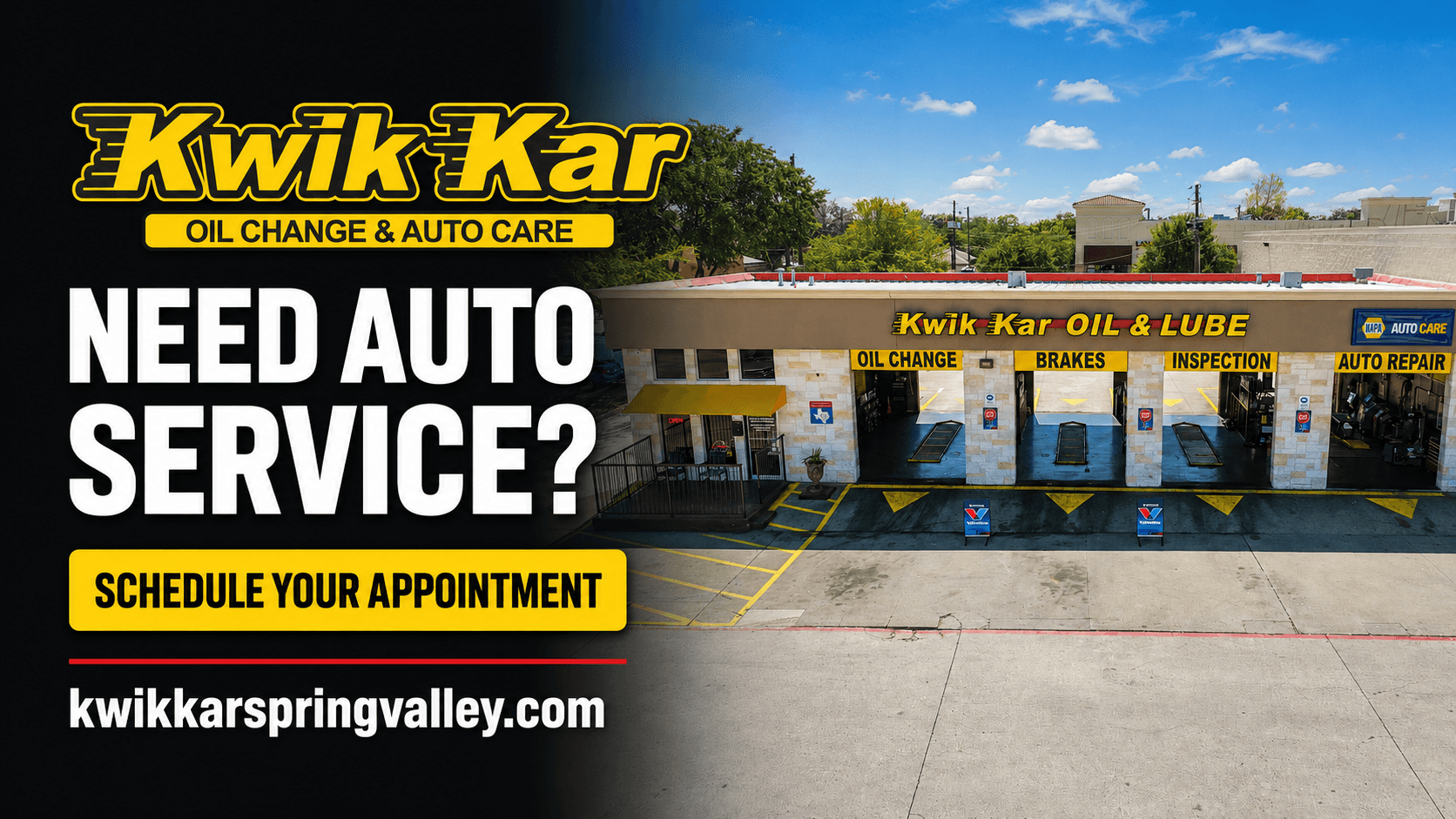
Booking is straightforward: schedule your visit, describe the concern or service you need, and the technician will document findings with photos before any work starts. You’ll get an upfront estimate and a report you can review from your phone, whether you’re waiting in our lobby on Spring Valley Road or back at your desk. Families comparing quotes, commuters short on time, and fleet managers tracking multiple vehicles all get the same visual proof and the same warranty-backed full auto repair services. If you manage a company fleet, our fleet maintenance program applies the same photo-documented inspections across every vehicle you’re responsible for. Ready to see what a real inspection report looks like? Schedule your next service with Kwik Kar Oil Change & Auto Care and get an estimate you can actually verify before you approve a thing.
Sources
- Garage360 — DVI features
- Workshop Software — Digital Vehicle Inspections: The Complete Guide
- Autoflow — What is a digital vehicle inspection?
- Moiboo — Digital vehicle inspection and customer trust
FAQ
What Is a Digital Vehicle Inspection?
A digital vehicle inspection is a multi-point check where a technician documents your vehicle’s condition with photos and videos, then sends you a report by text or email so you can review and approve repairs remotely.
Are States Getting Rid of Vehicle Safety Inspections?
Inspection requirements vary significantly by state and change over time, so check your state’s specific requirements. Texas requires emissions and safety inspections in many counties, and Kwik Kar Oil Change & Auto Care performs Texas inspection services for both personal and commercial vehicles.
What Is the Best Free Digital Vehicle Inspection App?
Most DVI reports don’t require you to download any app at all. Reputable systems send a mobile-friendly link by text or email that opens directly in your phone’s browser, so there’s nothing to install as a customer.
Can You Approve Car Repairs Online?
Yes. Once a shop sends your digital inspection report, you can review each line item’s photos and condition rating, then approve or decline repairs directly from the link on your phone without visiting the shop in person.
Does a Digital Inspection Cost Extra?
It depends on the shop. Some include DVI as a standard part of every visit at no added charge, while others build it into the price of specific service packages, so ask your advisor what’s included before your appointment.